


Unblur old photos
Aion sharpens blurry faces and eyes in old photos on iPhone. A face-restore model trained on portraits brings soft or out-of-focus features back to clear detail, so people look like themselves again. It keeps the original grain and tone, and shows a before and after before you save.
Get Aion on the App StoreAion is an iPhone app. No editing skills needed.
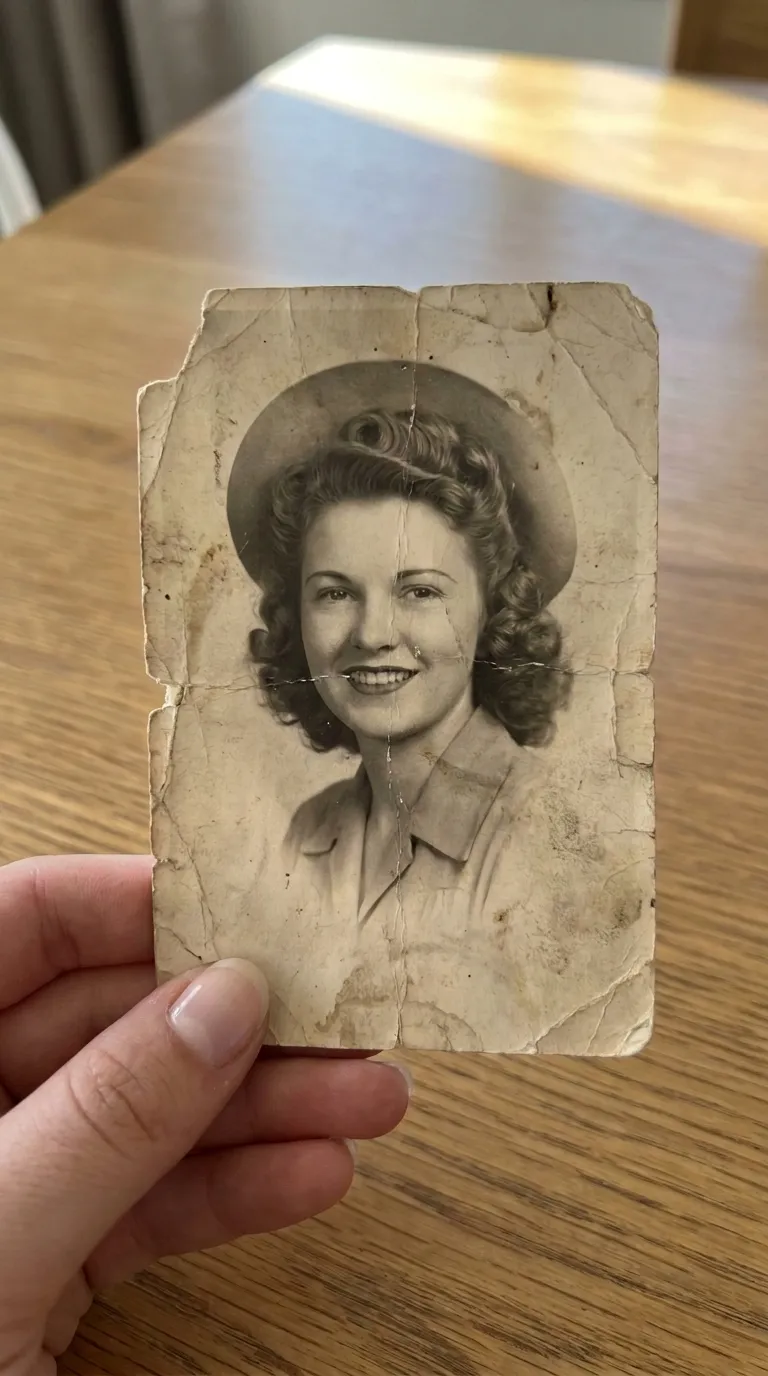 Before
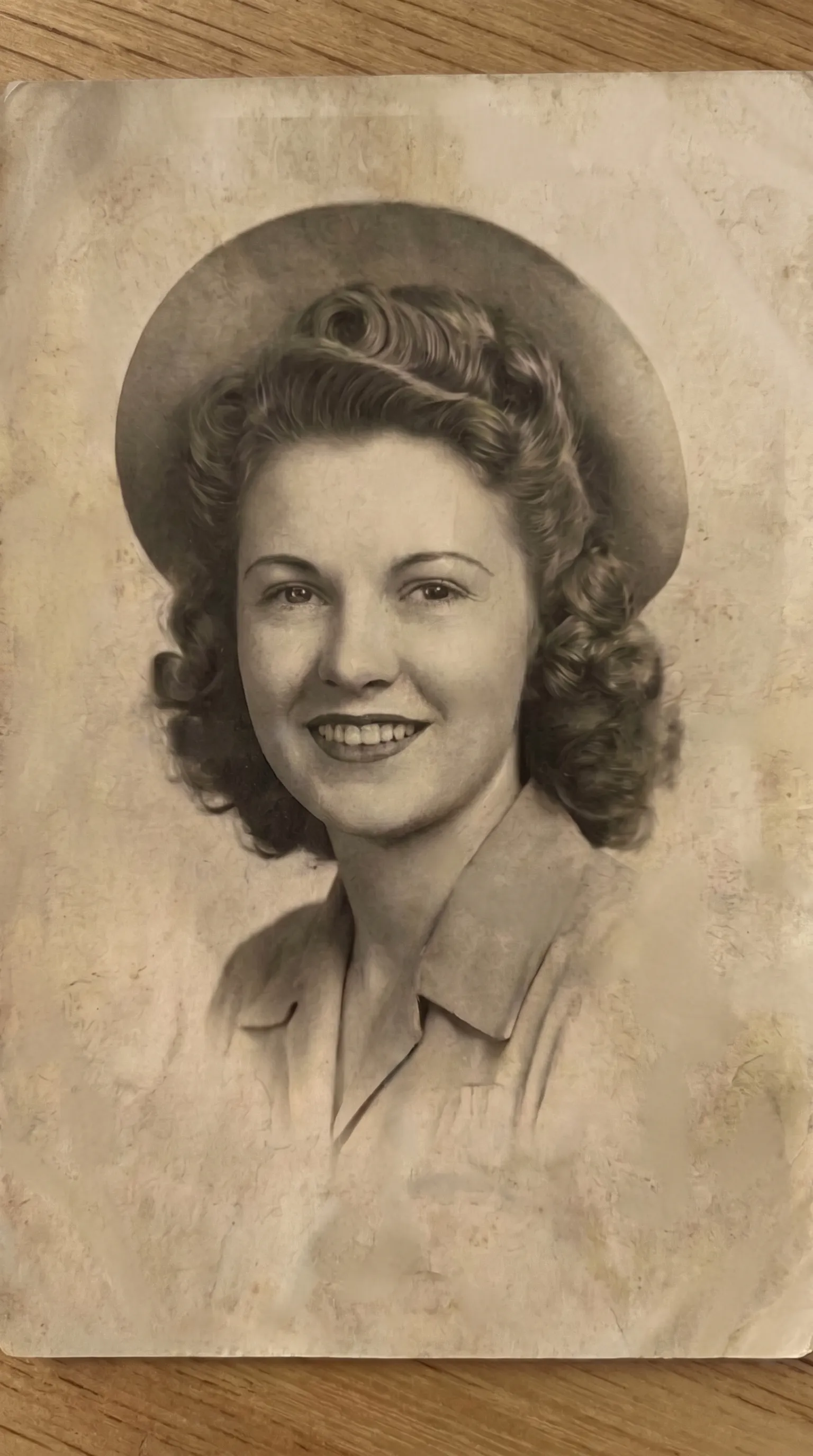 After
AfterA model trained on faces
General sharpening pushes contrast at every edge and makes grain worse. Aion's face-restore treatment uses a model trained on portraits, so it knows what an eye, a lash line, and a hairline should look like and rebuilds those instead of just raising local contrast.
Faces back in focus, nothing else touched
The treatment works on faces and eyes. The rest of the frame, the grain, the background, and the framing are left alone. If the photo is also low resolution, run upscale after; if it is scratched, run repair first.
Related: colorize black and white photos, and how Aion compares to other options.
How to unblur a photo
Sharpen blurry faces in an old photo on iPhone in four steps.
Open the face restore treatment
In Aion, pick Restore Faces and Eyes from the treatment list.
Scan or import the photo
Use the iPhone camera on the print, or import it from your library.
Aion sharpens the faces
The model rebuilds soft features, eyes, mouth, and hairline, back to clear detail.
Compare and save
Check the faces against the original, then save to Photos, print it, or share it.
Unblurring photos: common questions
Does face restore change how someone looks?
It is built not to. The model sharpens the features that are already there rather than generating new ones. Every result shows a before and after so you can check the likeness before saving.
Can it fix a very blurry photo?
Mild to moderate blur and softness recover well. A photo that is severely out of focus has little detail to rebuild from, and no tool can fully invent a face that was never captured.
Does it work on more than one face?
Yes. The treatment sharpens every face in the frame in one pass.
Will the rest of the photo change?
No. Face restore focuses on faces and eyes. Grain, background, and framing stay as they were.
Can I combine it with other treatments?
Yes. Run scratch repair or Add Color on the same photo before or after face restore.
