


Colorize black and white photos
Aion adds natural color to black and white photos on iPhone. A dedicated colorization model reads the scene and skin tones and applies period-plausible color, so the result looks like a color photograph from the time, not a painted-on filter. You compare the before and after before saving.
Get Aion on the App StoreAion is an iPhone app. No editing skills needed.
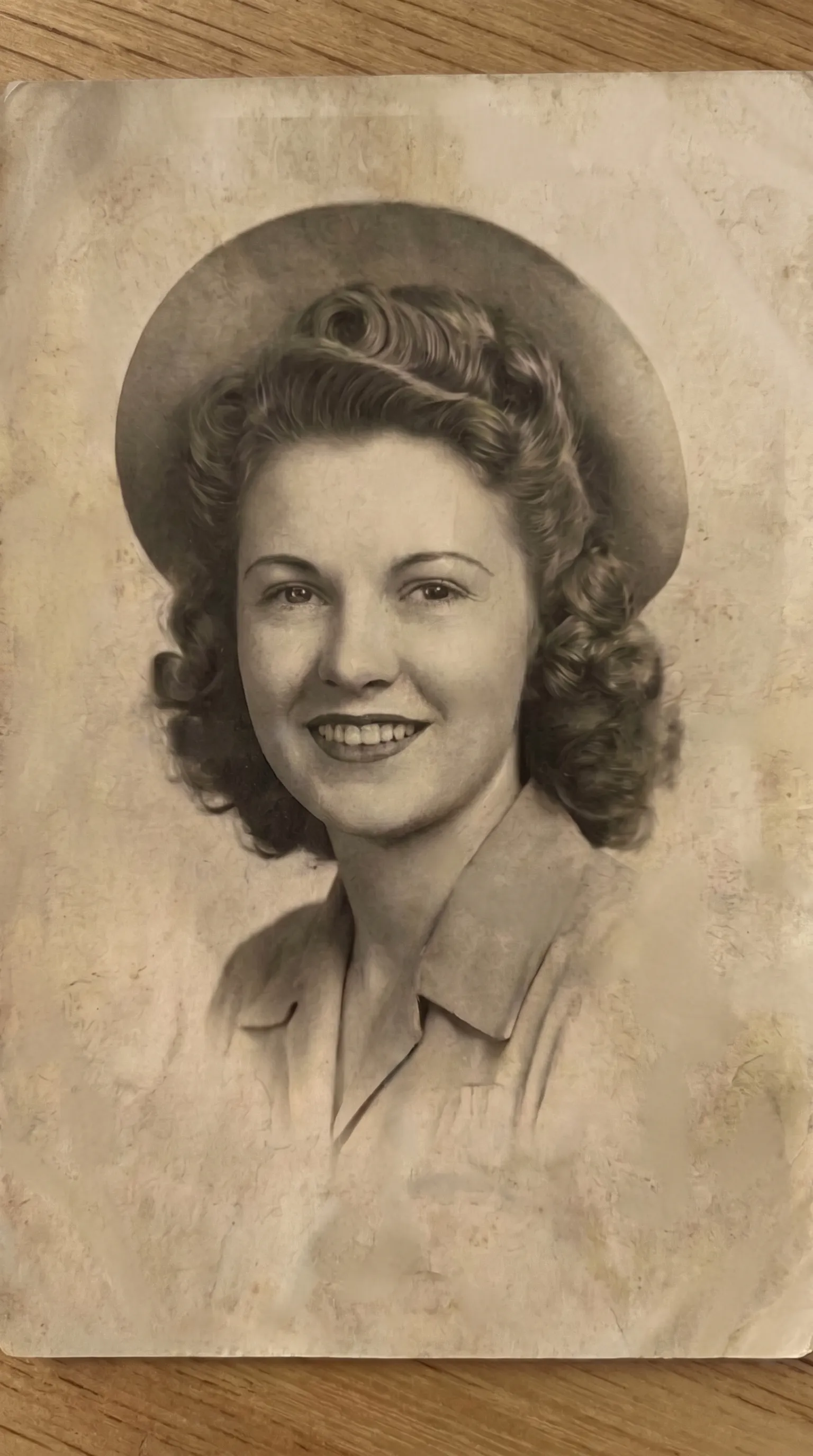 Before
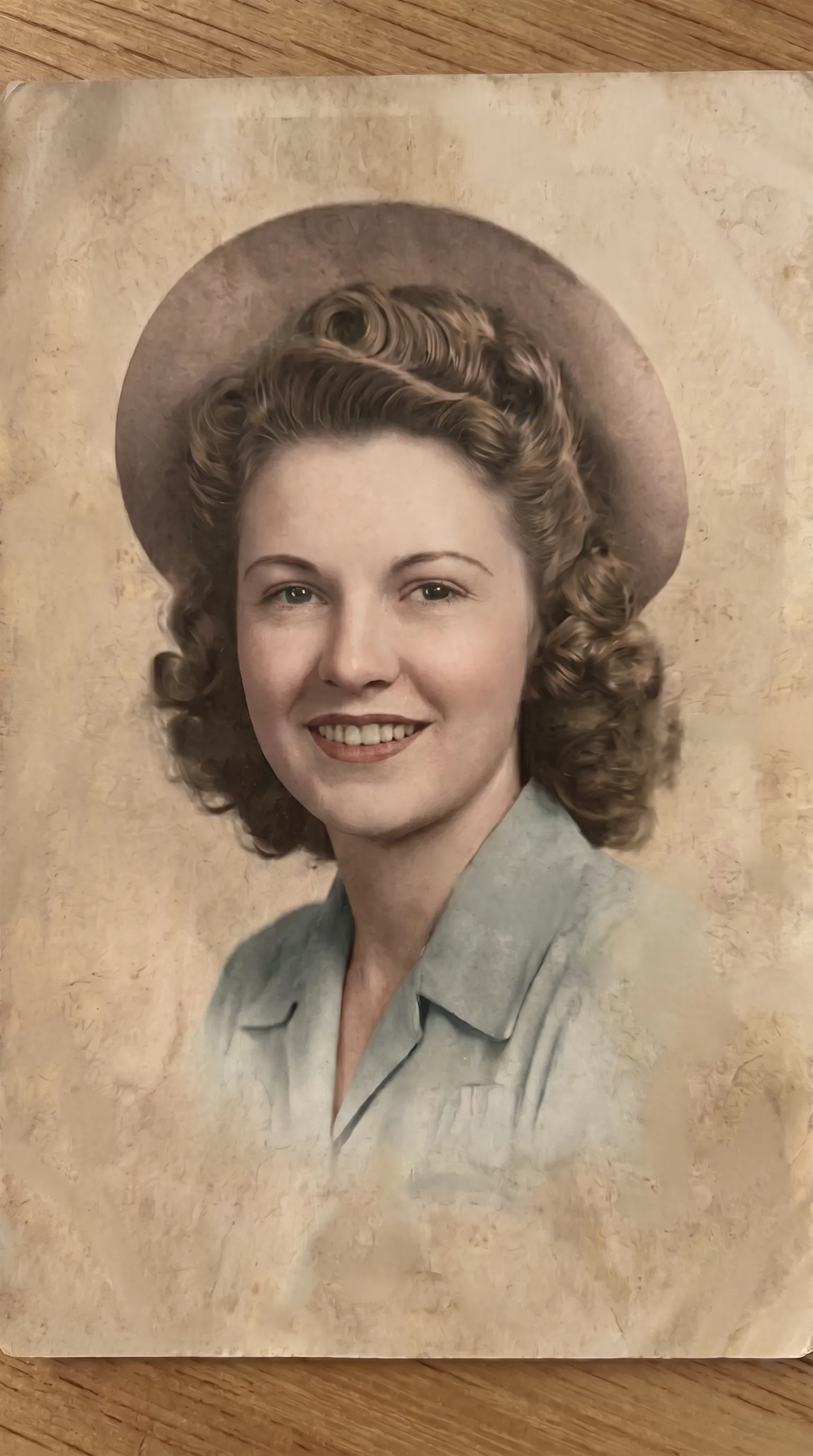 After
AfterOne model built for color
Aion routes each photo through a model built for one job. For colorization, that means a model trained to read a black and white scene, separate skin, fabric, foliage, and sky, and lay down color that matches the light already in the frame.
It does not touch anything else. The grain stays. The focus stays. The expression on a face stays. If the print is also scratched or faded, run the repair treatments first, then colorize the clean copy.
Colorize on iPhone, no desktop editor
There are no layers, masks, or brushes. You pick Add Color, choose the photo, and compare the result before it saves. Everything happens on the phone.
See also unblur old photos, upscale old photos, and the photo restoration app overview.
How to colorize a photo
Turn a black and white photo into natural color on iPhone in four steps.
Open the Add Color treatment
In Aion, pick Add Color from the list of five treatments.
Scan or import the photo
Point your iPhone camera at the print, or choose a black and white photo from your library.
Let the model color it
Aion applies natural, period-plausible color. Longer photos finish in the background and notify you.
Compare and save
Check the color against the original, then save to Photos, print it, or share it.
Colorizing photos: common questions
Does colorizing change the photo?
No. Color is added on top of the existing detail. Faces, grain, and composition stay as they were. The Add Color treatment does not sharpen, restyle, or move anything in the frame.
Can Aion colorize a damaged black and white photo?
Repair the damage first with the scratch repair or full restoration treatment, then run Add Color on the clean version. You can run more than one treatment on the same photo.
Will the colors be accurate?
Aion applies plausible color for the period and the scene: natural skin tones, believable clothing and background. It cannot know the true color of a specific dress or wall, so treat the result as a faithful interpretation, not a record.
Do I need to scan the photo first?
No. Aion scans prints directly with the iPhone camera. You can also import a photo already in your library.
Can I colorize more than one photo?
Yes. You colorize photos one at a time, with no limit on how many. Longer restorations finish in the background.
