


Photo restoration app for iPhone
Aion is a photo restoration app for iPhone. It repairs scratches, tears, and fading, sharpens blurry faces, colorizes black and white photos, and upscales low-resolution images. Each of the five treatments runs through its own model built for that one job, and every restoration keeps the grain and character of the original.
Get Aion on the App StoreAion is an iPhone app. No editing skills needed.
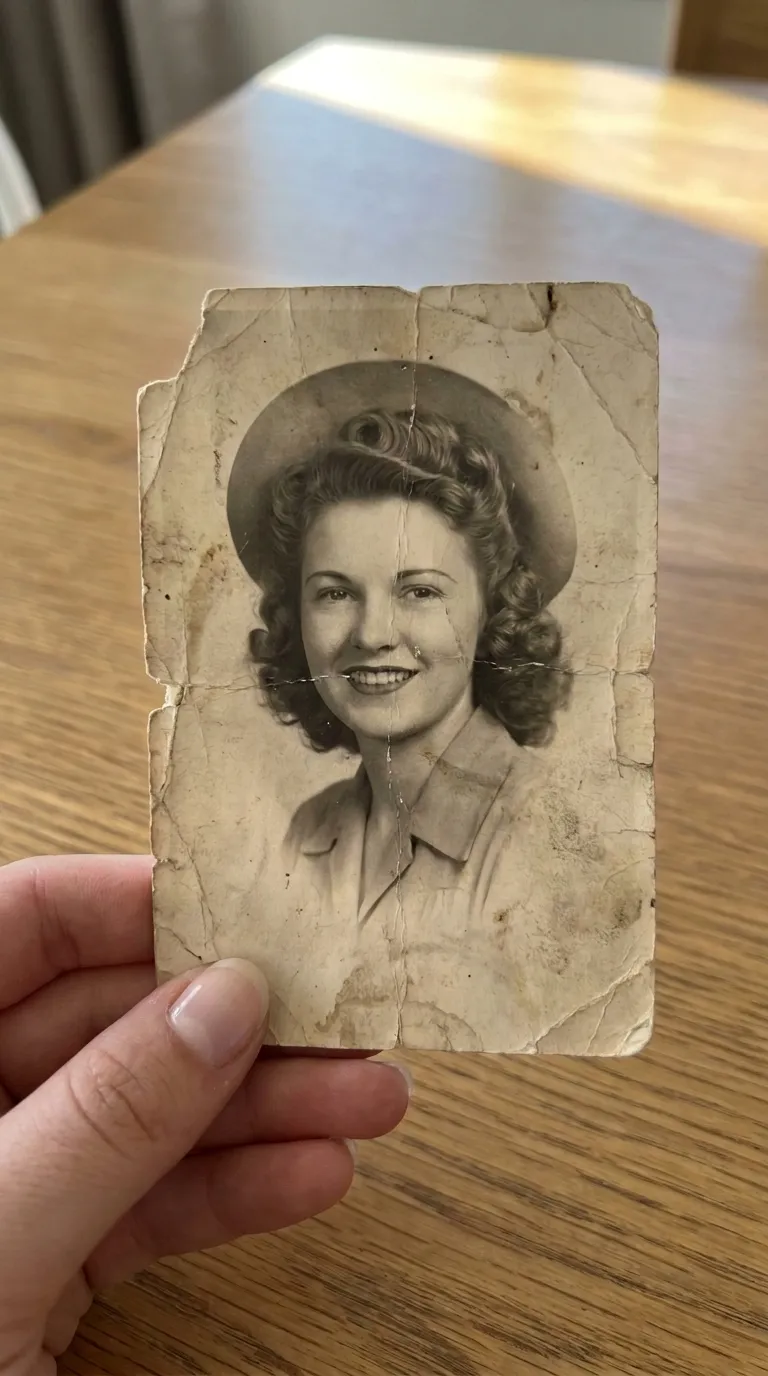 Before
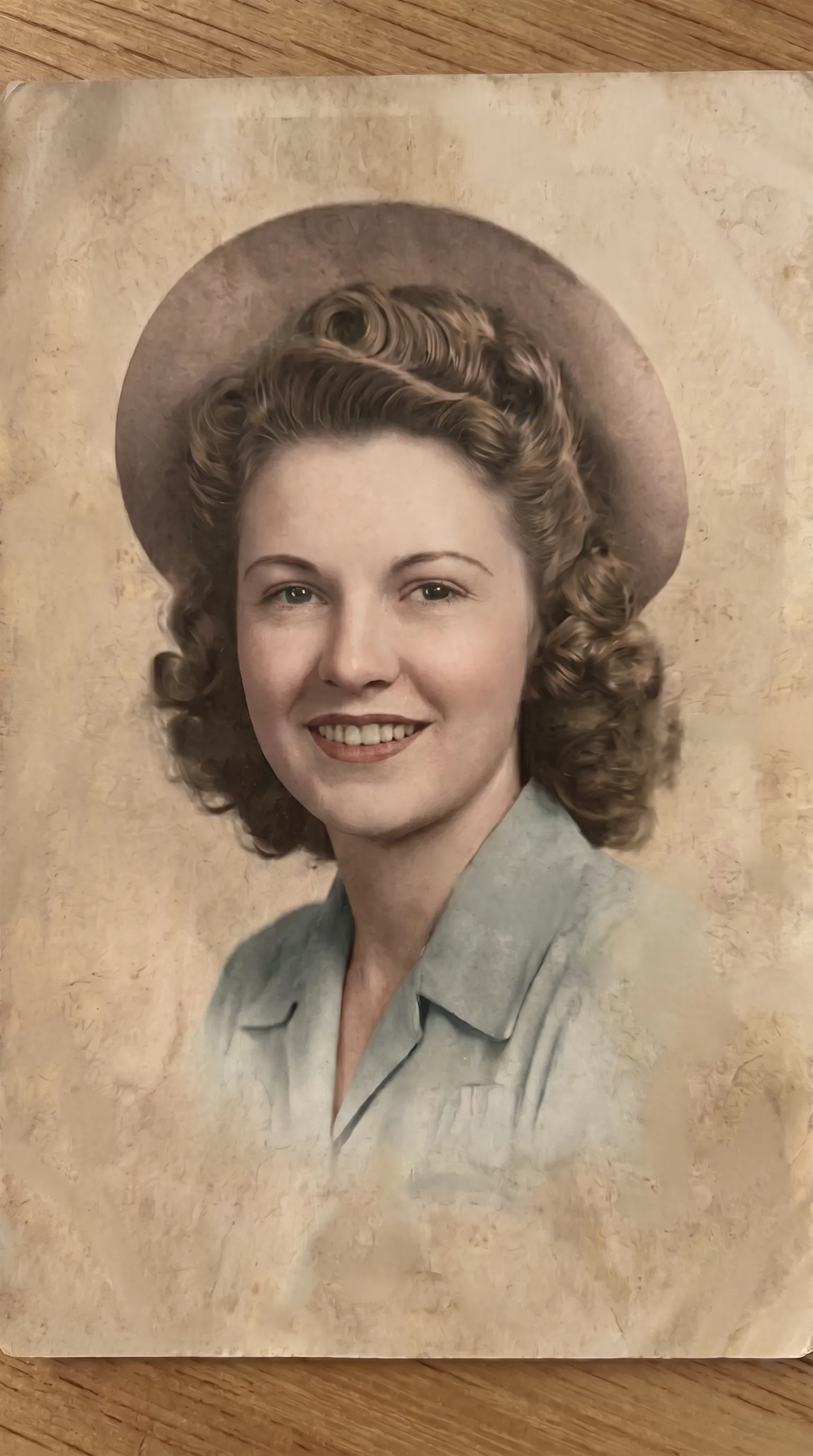 After
AfterA model per job, not one filter
Scratch repair, face sharpening, and colorization are different problems. Aion routes each photo through a model built for that job, so a scratch-repair pass is not also guessing color, and a colorization pass is not also sharpening faces.
Repair, not reinvent
Aion is a restoration tool, not an AI art app. It removes damage and rebuilds detail that was there, and it leaves the grain, lighting, and expression alone. Every result shows a before and after so you can judge it before you save.
On the phone, start to finish
Scan a print with the iPhone camera or import from your library. Restored photos go to a private in-app gallery, where you can compare, save to Photos, share, or delete them. Nothing is processed without your confirmation.
The five treatments
- Repair damaged photos: scratches, creases, tears, stains, fading.
- Restore faces and eyes: bring soft, blurry faces back into focus.
- Colorize black and white photos: natural, period-plausible color.
- Improve quality and upscale: rebuild detail and resolution for print.
- Full restoration: one pass that takes a worn photo back to clean and clear.
New to this? Start with how to restore old photos, or how to restore old photos on iPhone.
Getting started
Get started with Aion on iPhone in four steps.
Get Aion from the App Store
Install the app on your iPhone and allow camera or photo library access.
Pick a treatment
Choose what your photo needs: repair, face restore, color, upscale, or a full restoration pass.
Scan or import a photo
Scan a print with the iPhone camera, or import a photo from your library, then confirm.
Compare and save
Check the before and after, then save to Photos, print, or share with family.
About the app
Is there an Android version?
Not yet. Aion is an iPhone app. It also runs on iPad in compatibility mode.
Does Aion work offline?
Restorations run through secure AI services, so the app needs a connection to process a photo. Browsing your saved gallery works offline.
What happens to my photos?
Nothing is processed without your confirmation. Finished photos are saved to a private gallery inside the app, where you can save them to Photos, share, or delete them.
Do I need a scanner?
No. Aion scans prints with the iPhone camera. You can also import photos already in your library.
Can I restore more than one photo?
You restore photos one at a time, with no limit on how many. Longer restorations finish in the background and notify you.
