


Repair damaged photos
Aion repairs the physical damage a printed photo picks up over decades: scratches, creases, tears, stains, and fading. Scan the print with your iPhone or import it, pick the scratch repair or full restoration treatment, and Aion rebuilds the damaged areas while keeping the original grain, focus, and tones intact.
Get Aion on the App StoreAion is an iPhone app. No editing skills needed.
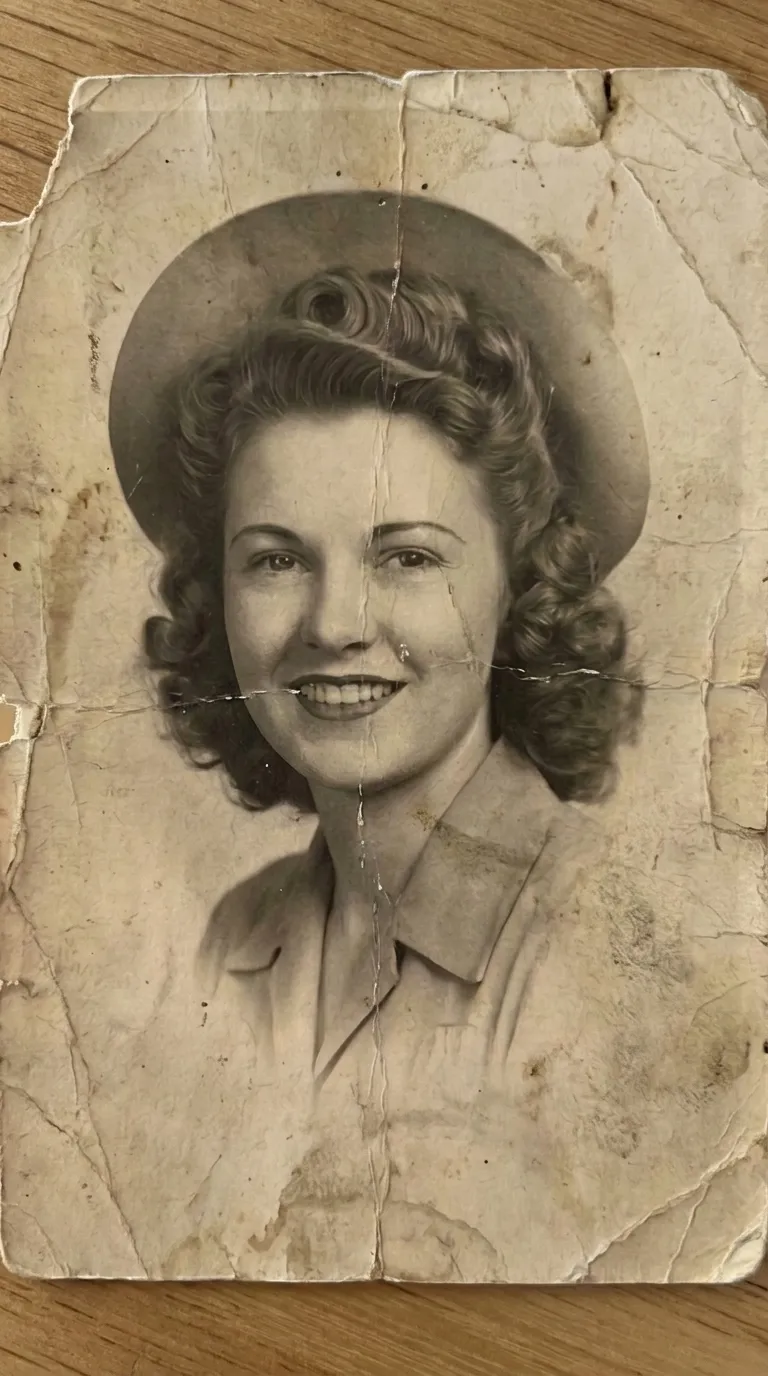 Before
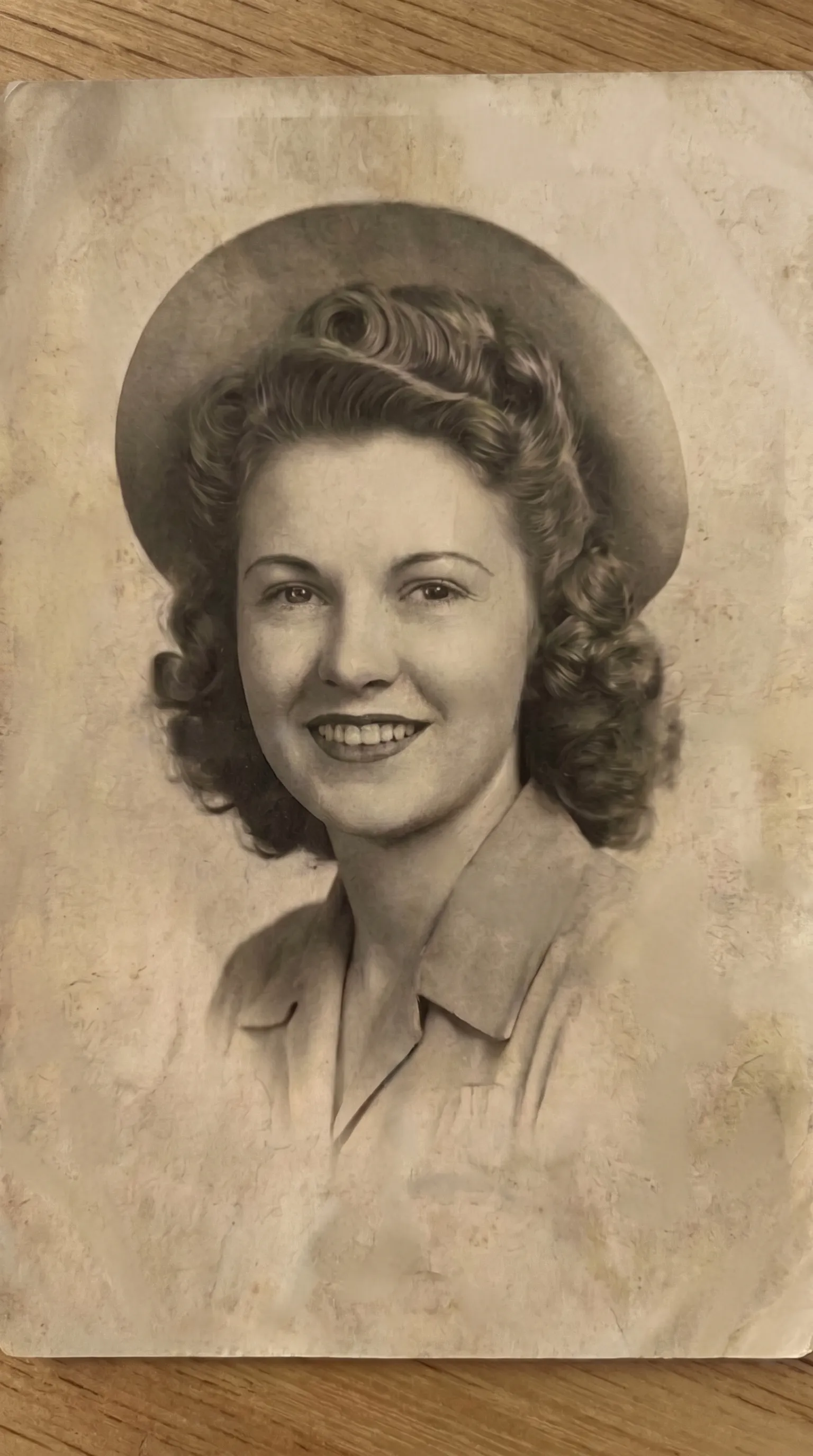 After
AfterA treatment per problem, not one filter
A scratched print, a blurry face, and a faded color photo are different problems. Aion runs each through a model built for that job instead of a single generic filter. For physical damage, that model is trained to tell a scratch from an eyelash and to rebuild a crease from the grain on either side of it.
The original stays underneath
Repair removes the damage and nothing else. The lighting, the film grain, the slight softness of an old lens: all kept. A restored photo should look like the photo someone took, on the day they took it.
For specific damage
- How to fix water-damaged photos
- How to repair a torn photo
- How to restore faded color photos from the 70s and 80s
- How to restore old photos: the full guide
Related: colorize black and white photos, unblur old photos, upscale old photos.
How to repair a damaged photo
Repair a scratched, torn, or faded photo on iPhone in four steps.
Pick scratch repair or full restoration
Scratch repair targets surface damage. Full restoration does a complete pass on a badly worn photo.
Scan or import the photo
Use the iPhone camera on the print, or import an existing scan from your library.
Aion rebuilds the damage
The model fills scratches, creases, and torn areas from the surrounding detail, and evens out fading.
Compare and save
Check the repair against the original, then save to Photos, print it, or share it.
Repairing damaged photos: common questions
What damage can Aion repair?
Scratches, creases, tears, stains, and fading on printed photos. It also sharpens blurry faces, colorizes black and white photos, and upscales low-resolution images, each with its own treatment.
Can it fix a torn photo with missing pieces?
For small gaps, yes: the model rebuilds the area from the detail around it. A large missing section, like half a face, cannot be invented accurately, and that is a limit of any restoration.
Will the repair look obvious?
The goal is the opposite. Aion keeps the original grain and tone, so a repaired print still reads as an old photo, just without the scratch.
Do I need to scan the photo first?
No. Aion scans prints with the iPhone camera. Importing an existing scan also works, and a higher-resolution scan gives the model more to work with.
What about water-damaged photos?
Digital repair helps with stains and streaks once the photo is dry and scanned. Handle physically wet prints carefully first: rinse in clean water and air-dry face up before scanning. See the guide on fixing water-damaged photos.
